“We already have the data in Salesforce. Nobody can get a straight answer without asking ops to build a report.”
report debtGive every team the AI assistant they need, without giving up control of your CRM.
emcee lets Salesforce admins publish a narrow, reviewable assistant surface for each team, then release it to named users with clear runtime boundaries and audit events.
The result is a focused AI assistant for recruiting, sales, or service that answers against the surface the admin approved, not against the whole CRM.
Control the assistant before the assistant answers.
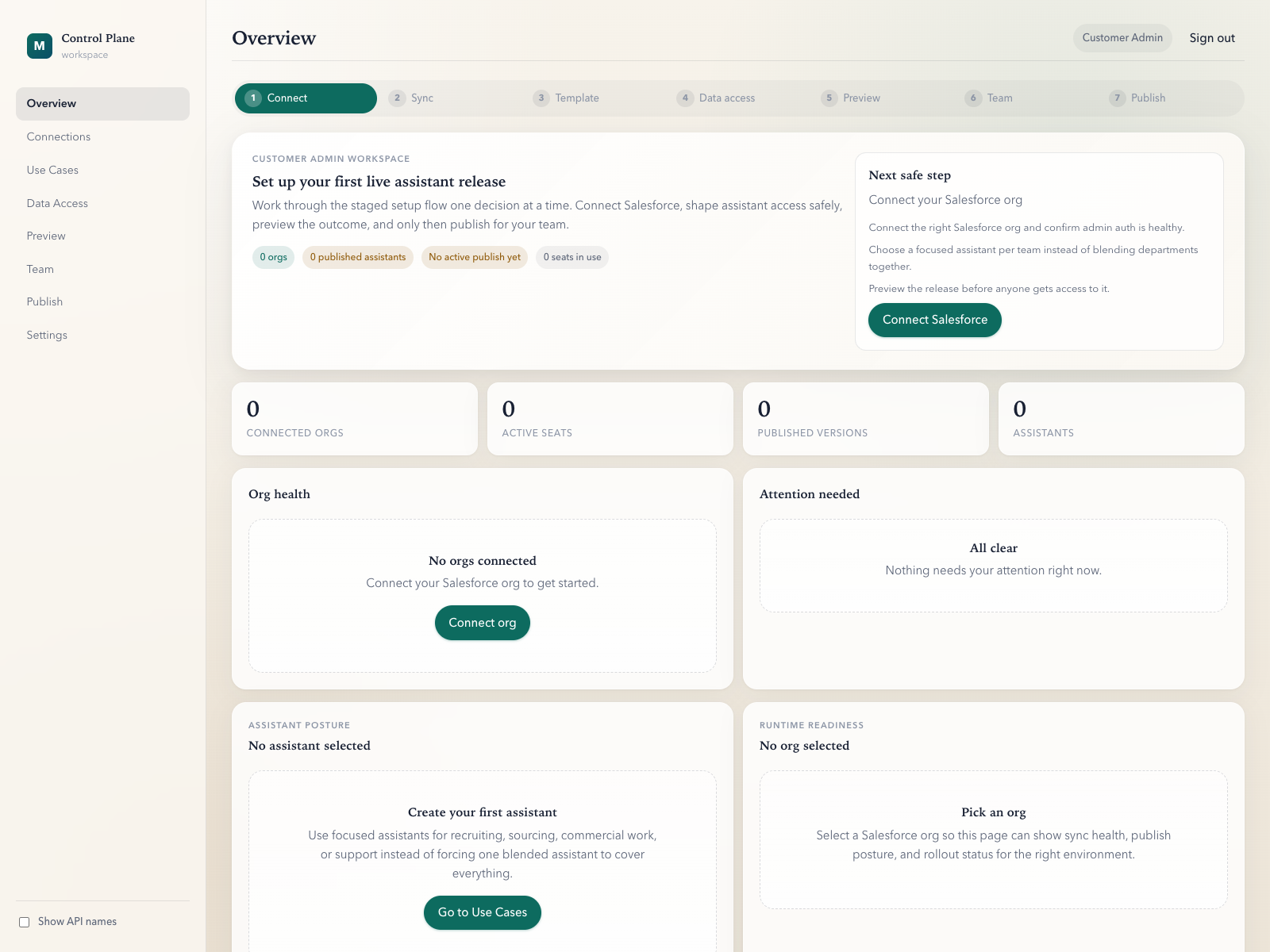
Connect one Salesforce org
Start from the system your team already runs on instead of exporting data into a generic AI tool.
Publish one assistant surface
Define which objects, fields, bundles, and tools a specific assistant is allowed to use.
Grant access to named users
Seat access and assistant access are assigned deliberately instead of implied by a broad workspace login.
Resolve and log the runtime
Every session resolves to one tenant, org, user, and assistant, with structured runtime audit events behind it.
Most teams already have the data. Few have a safe way to ask it questions.
Teams do not need another vague AI promise. They need a way to turn live Salesforce context into a useful assistant without handing a generic bot broad CRM access.
“We want to use AI, but we cannot just give a generic bot broad access to our CRM and hope for the best.”
access risk“If security asks who can access what, we need a better answer than ‘the AI tool can see Salesforce.’”
audit pressureBounded. Reviewable. Auditable.
The model has to scan in seconds: a bounded assistant surface, a review step before release, and a runtime identity model a security reviewer can actually reason about.
Bounded surface, not broad access.
Admins publish exactly which objects, fields, bundles, and tools each assistant is allowed to use. The assistant cannot reach further than what was published.
Preview before publish.
The product behaves more like a release pipeline than a settings screen. An admin reviews what changed, who is affected, and what the rollback path is before the team sees it.
One assistant per team.
A recruiter does not need the same assistant as a sales rep. Each team gets a named assistant, its own data surface, its own user list, and its own audit trail.
Plain-language answers for IT, ops, and security.
Most evaluations start with the same four questions. Here are the answers upfront.
A control layer for team-specific Salesforce assistants.
Admins publish a focused assistant surface before end users ask questions. The product is not a generic chatbot pointed at the whole org.
By publishing objects, fields, bundles, and tools per assistant.
The assistant can only reach the data surface the admin reviewed and published. There is no general-purpose path around that published surface.
Named users receive a seat and assistant access explicitly.
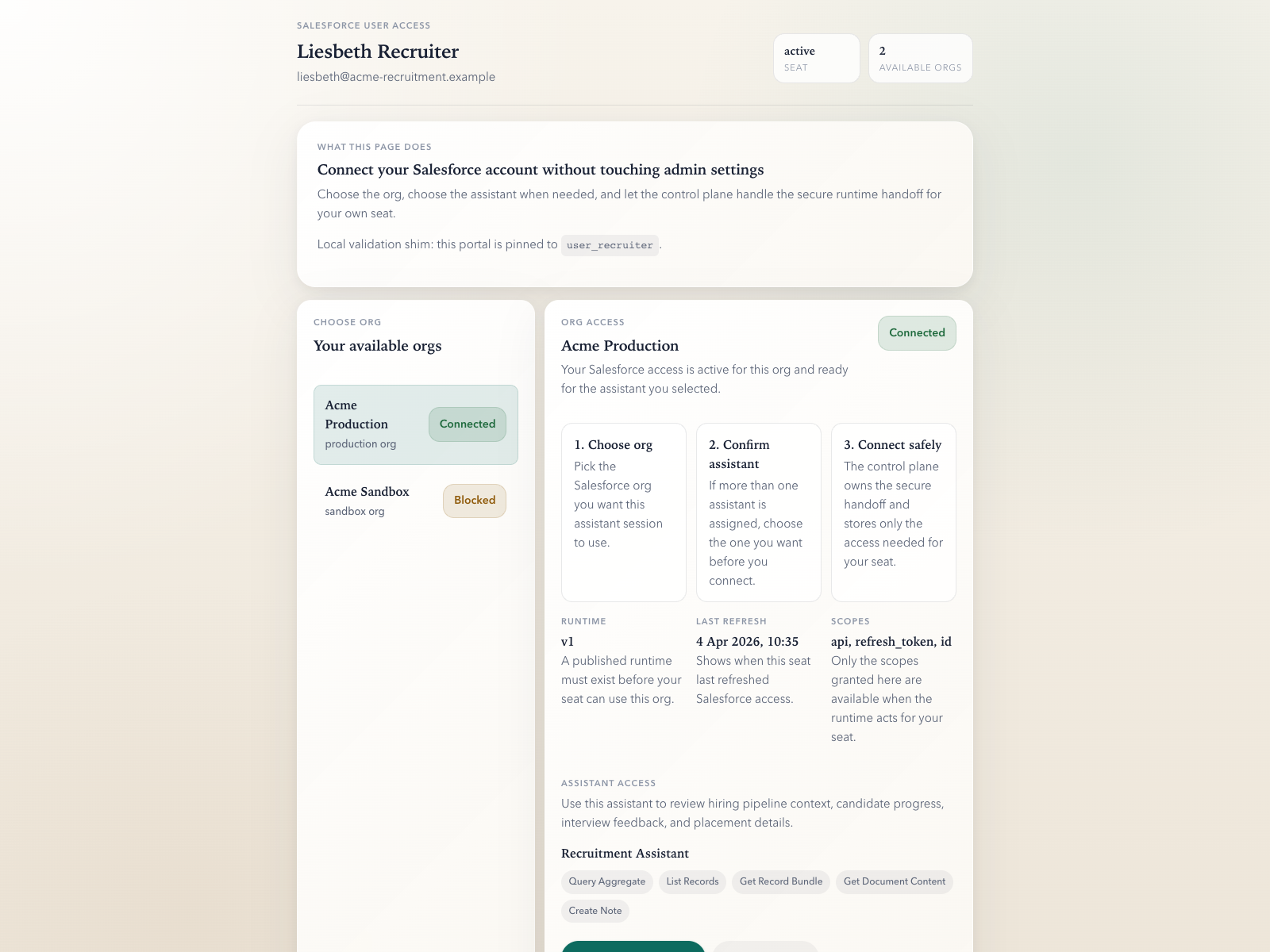
The user signs in through emcee's runtime access flow, chooses the relevant org and assistant when needed, and starts one bounded runtime session at a time.
The published surface, the identity model, and the audit foundation.
emcee can already show the bounded access model, named-user runtime binding, and structured audit events. The polished customer export and console remain on the roadmap.
From “we want an assistant” to “the team is using it.”
The product story becomes persuasive when it feels operational. This flow shows how a real assistant moves from template to published runtime access.
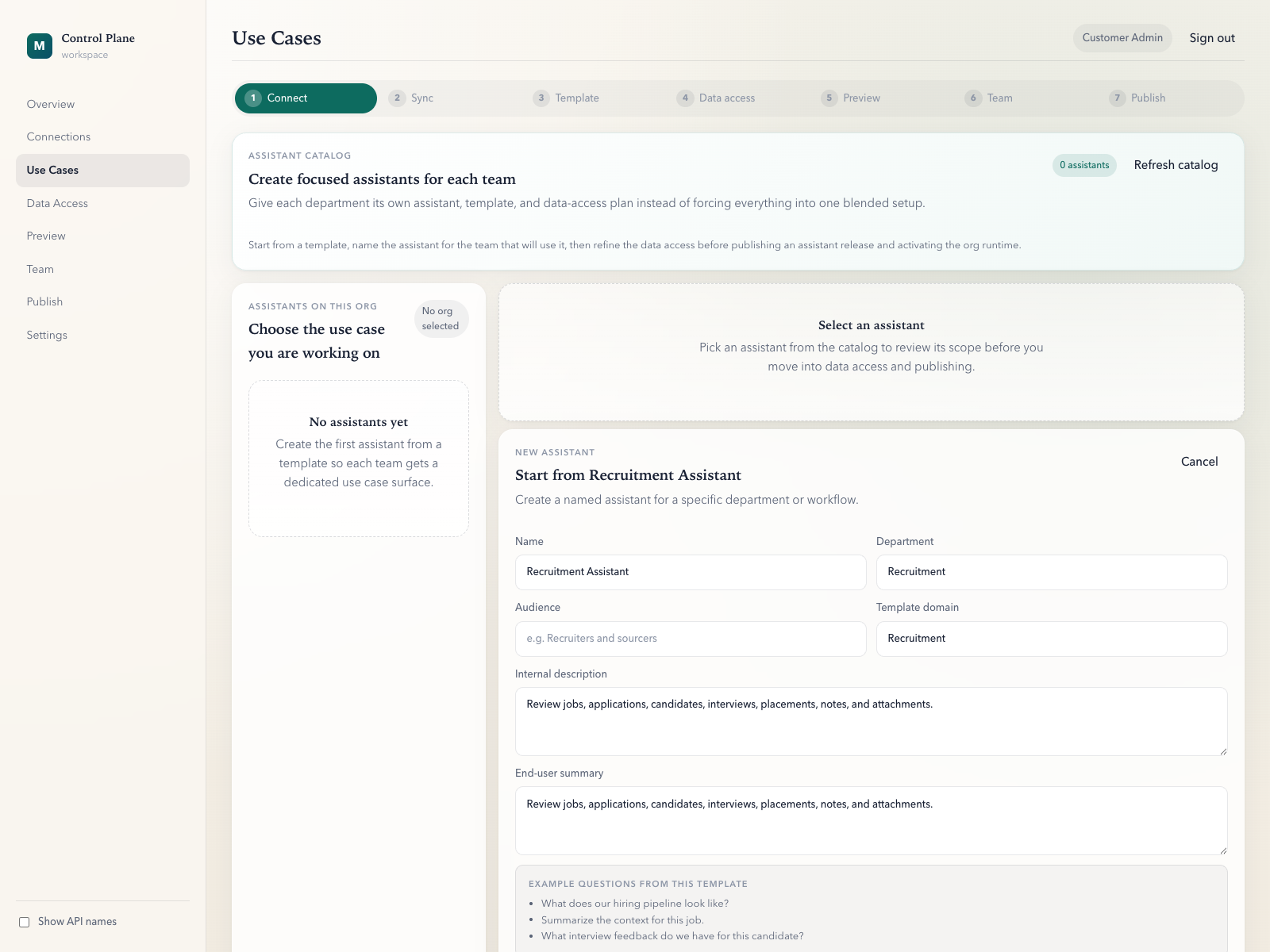
Start from a focused template
The admin opens the catalog and starts from the Recruitment Assistant template instead of configuring from a blank page.
Define the data surface
Access is shaped around the assistant's workflow rather than exposed as a broad Salesforce query path.
Generate preview
Review what changed, who is affected, and what the rollback target is before anyone gets access.
Publish and assign
Seat access is granted deliberately, with a runtime handoff that keeps admin and end-user identity separate.
Use the assistant
Questions resolve against one published assistant surface instead of a blended, generic CRM bot.
“Summarize the context for this job.”
The admin story explains control. The end-user moment explains why the product exists at all: one question, grounded in the approved assistant surface, without stitching context together by hand.
Before emcee
Open the job record. Open the linked applications. Open the interview notes. Open the activity history. Piece together the context by hand before you can even decide what to do next.
Ask once, within the surface that was already approved.
Built for teams that already live in Salesforce.
Recruitment remains the hero example because it is the most concrete today. The rest of the grid signals range without pretending everything is GA.
Recruitment
Faster recruiter context across jobs, applications, interviews, notes, and placements.
Available early accessPipeline / opportunity
Account-aware summaries for sales teams working live deals and active follow-up.
Status early accessAccount management
Customer context without opening five tabs before every check-in or escalation.
Status early accessCase management
Faster triage with history, activity context, and the right assistant surface for support.
Status early accessLead qualification
First-pass enrichment and next-step suggestions grounded in the workflow that owns the lead.
Status early accessBuilt for the moment IT starts asking real questions.
Security reviewers usually start with identity, entitlement, and auditability. This page answers those basics plainly, then hands off to the deeper architecture page.
- Bounded data surface chosen object by object and field by field.
- Separate admin and runtime identities, with explicit seat access.
- Runtime sessions tied to tenant, org, user, and assistant.
- Encrypted token storage and provider secrets referenced, not exposed.
- Structured runtime audit events on every call.
The security page expands this into the full access flow, including how a named user reaches one org and one assistant at runtime.
emcee is in early access. We work directly with each team that joins.
That means onboarding happens with a member of our team in the room, the assistant surface is reviewed together, and we stay close during the first weeks of use. It also means we are not yet self-serve and we are not making compliance claims we cannot back up.
Talk to us about your team.
Start with the workflow that creates the most report debt or context stitching today. We will talk through the assistant surface, the rollout path, and the security review questions before anyone is asked to commit.